Posts

Showing posts with the label information literacy

Got the Winter Blues?
Image
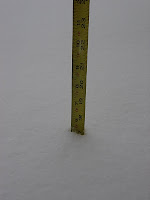
It's tempting to surf the Web all day and build snowmen when the College is closed due to inclement weather. But is your homework backing up? Are you running behind on papers because you cannot get to the library? We're sure many of you need the resources available at the library to complete your assignments, and if you do, just remember you have options. All of the library's resources can be accessed from off campus, including databases like EBSCO or Literature Resource Center. (See our remote access instructions for assistance.). The best way to access these resources is to log in to Blackboard first. If you click on the "Research" tab in the upper, right hand corner, you'll notice there is a link to the Jessup Library home page. Simply open the library's home page from there and you'll be good to go. The Jessup Library Catalog may also be used off campus--and you don't have to sign in. You'll be able to find books, both print and electronic...

National Information Literacy Awareness Month

Image
Image courtesy of https://mellott.wikispaces.com/Information+Literacy . The world is full of information, and the amount of information is increasing exponentially every day. Books, articles, newspapers, Web sites and blogs (not too mention the influx of tweets) bombard us with information; sometimes it is reliable and correct, sometimes it's not. The ability to locate, use and determine what is reliable and trustworthy is called information literacy. This skill is extremely important, both in college and in the workplace. However, libraries are not the only institutions expounding the importance of information literacy. Even the president of the United States recognizes the need to be information literate. So much so that a proclamation was enacted on October 1. October has been declared National Information Literacy Awareness Month (as per this online press release ). If you are interested in becoming more information literate, consider taking an ITE 119/120 or CSC 110 class. The...

Quick Library Tip #1

Image
How many times have you made a special trip to the library just to ask if we have the book you need? Do you avoid buying your textbooks until you call the library to find out if we have any of the textbooks? Your wait is over: you can look for these things on your own from any computer anywhere by following these simple steps. 1. Go to the library Web site . 2. Click on the " Jessup Library Catalog " link seen here: 3. Use the drop-down box on the basic search screen to select where you want the computer to find your search terms (we usually select "Keywords Anywhere" unless we have a particular book or author we want to find, then we use "Title Keywords" or "Author Keywords"). WAIT! What if you need to find a book you think might be on reserve (like a textbook)? Use the link to the library catalog, but before you add any search terms, go to the big blue box at the top of the screen & click "Course Reserves" : Select your home ...

What Is a Journal Article?

Can you tell the difference between this article and this one ? The first is a scholarly journal article; the second is a magazine article. What are the differences between the two articles? What makes a journal article scholarly, or peer-reviewed? The first article has some distinguishing features that make it scholarly in nature. For instance, this article has both an abstract and references. (Two features that are typical for scholarly journal articles.) The author, M. R. Jalongo, is affiliated with Indiana University of Pennsylvania, and he is the one conducting research on this topic. Also, take a look at the format of the article; there are no pictures or catchy graphics. Now compare that to the second article. Notice that this article has several photographs. The design of the page is more flashy and colorful. Where are the references? Who is writing the article? The Cornell University Library does an excellent job of further explaining the differences between scholarly journal...

Wikipedia

How do you decide which sources to use for an academic paper? Have you ever cited Wikipedia in your paper only to have points taken off? You probably have experienced this, but perhaps you wondered why Wikipedia was not appropriate. Take a look at the Cornell University Library guide to Using Wikipedia . This guide specifically answers the question, "Why can't I cite Wikipedia in my paper?" Mostly, the guide discusses how Wikipedia works, who writes the articles and the ever-changing nature of the information on Wikipedia. These very qualities are some of the reasons why Wikipedia should not be used in scholarly research. The librarians here at PVCC are always glad to help you with your research. If you have questions about any particular resource, please let us know. The quality of your sources greatly impacts the quality of your paper, so start off on the right foot. Learn about Wikipedia, and then ask yourself how this can apply to other resources you may find on your...

ARTstor

The Jessup Library is proud to announce ARTstor , a digital collection of approximately one million images. This interdisciplinary resource offers images from the areas of art, architecture, the humanities and the social sciences. The collections are organized by topic and include: African-American studies, anthropology, design and decorative studies, Middle Eastern studies, and theatre and dance. The images in ARTstor are saveable as JPEGs and may be inserted into PowerPoint presentations or Word documents. Each image also provides information necessary to cite it properly. (Double click on an image to open it in a new window, click the "i" for citation information.) Unfortunately, ARTstor is not yet available from off campus. Hopefully it will be available soon; check back here for updates. Please take a look at this wonderful resource, and again, if you have questions, just let us know!

Finding Your Inner Google

When you think of Google, you might not think "academic" or "scholarly." Most people use Google for a variety of reasons, but often, when using Google for research, they retrieve too many results or the results aren't relevant. Knowing how to use Google effectively and efficiently can save you a lot of time, effort and frustration. Note: We encourage you to begin your research with library materials first. Google is not an alternative to, but a helpful addition to the library's resources. The library staff recently presented a workshop called "Finding Your Inner Google." Google Scholar and Google Books , among others, were discussed, as well as tips and techniques for using Google effectively. For instance, did you know that Google Scholar is a good source of scholarly journal articles? Not to mention, you often can link directly to library databases to find full text. (Go to Google Scholar, click Scholar Preferences, and search for Virginia Commu...